Bildegalleri
(1/17)
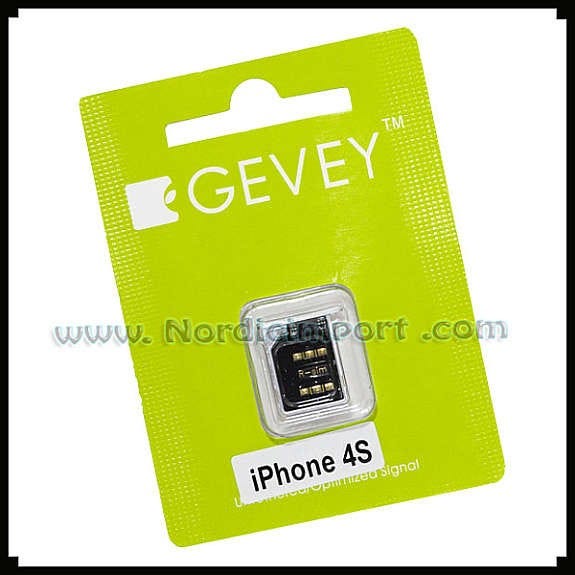
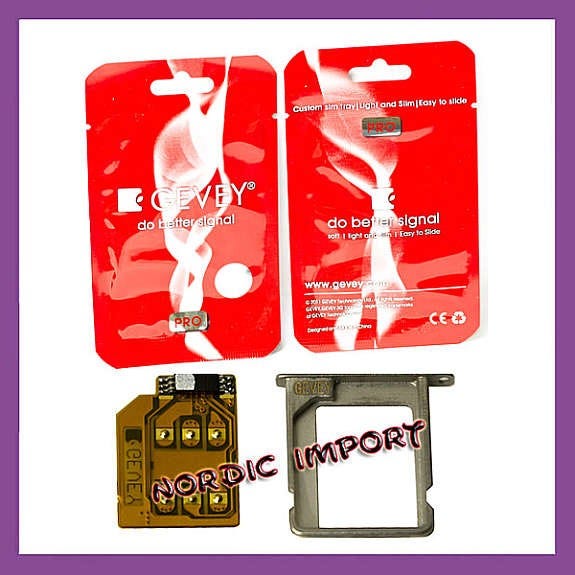











Lås opp / UNLOCK iPhone 4S - Gevey R-SIM
Til salgs29 kr
Beskrivelse
R-SIM låser opp iphone 4s.
Vil ikke ugyldiggjøre garantien
GEVEY PRO Låser opp
4S IOS, 5.0, 5.01
(For 5.1 & 5.1.1 trenger man R-SIM III eller V)
For andre modeller R-Sim III og R-SIM-V er på lager.
Kompatibel med alle sim
Pakkens innhold:
* 1x Custom GEVEY R-Sim
Instructions to Unlock iPhone 4S
1 Assemble the Gevey on the Card Frame, then the iPhone SIM card on top. Put them in the iPhone => Turn on iPhone => Settings => Phone => SIM Applications.
2 Click "Country & Operators" then select your phone service provider (for example, if your phone service provider is AT&T, then you choose MODE 1 USA AT&T). Your phone service provider will appear on the top left corner of the screen.
3 Then click the return ( the triangle on top left ) back to the previous screen.
4 Click the first one "ENTER 112 Mode" and back to the main menu.
Wait for the Message Window to appear them click "Accept".
Wait for 5 seconds then dial 112. After connected, do not hang up.
Slowly take the SIM card off the iPhone, then push the SIM cards back to the iPhone again.
Wait for the iPhone to hang up itself (Note: Do not disconnect 112 by yourself)
5 Wait for the searching your phone service provider. If the top left corner shows the message "No Service", keep waiting until the phone service provider's name show up. Then the manual setup is completed.
You can use your iPhone now. (If you turn off your iPhone, You will need to do the set up again).
Vil ikke ugyldiggjøre garantien
GEVEY PRO Låser opp
4S IOS, 5.0, 5.01
(For 5.1 & 5.1.1 trenger man R-SIM III eller V)
For andre modeller R-Sim III og R-SIM-V er på lager.
Kompatibel med alle sim
Pakkens innhold:
* 1x Custom GEVEY R-Sim
Instructions to Unlock iPhone 4S
1 Assemble the Gevey on the Card Frame, then the iPhone SIM card on top. Put them in the iPhone => Turn on iPhone => Settings => Phone => SIM Applications.
2 Click "Country & Operators" then select your phone service provider (for example, if your phone service provider is AT&T, then you choose MODE 1 USA AT&T). Your phone service provider will appear on the top left corner of the screen.
3 Then click the return ( the triangle on top left ) back to the previous screen.
4 Click the first one "ENTER 112 Mode" and back to the main menu.
Wait for the Message Window to appear them click "Accept".
Wait for 5 seconds then dial 112. After connected, do not hang up.
Slowly take the SIM card off the iPhone, then push the SIM cards back to the iPhone again.
Wait for the iPhone to hang up itself (Note: Do not disconnect 112 by yourself)
5 Wait for the searching your phone service provider. If the top left corner shows the message "No Service", keep waiting until the phone service provider's name show up. Then the manual setup is completed.
You can use your iPhone now. (If you turn off your iPhone, You will need to do the set up again).
NB: Knappen for å vise hele beskrivelsen har kun en visuell effekt.
Nøkkelinfo
- Type
- Annet
- Tilstand
- Ny
Generell info
********************************************************
MVA913946812NO
www.nordicimport.com AS
www.Billig.st
********************************************************
Alt i nettbutikken finnes på lager og sendes fra Norge.
********************************************************
MVA913946812NO
www.nordicimport.com AS
www.Billig.st
********************************************************
Alt i nettbutikken finnes på lager og sendes fra Norge.
********************************************************
Beliggenhet
| FINN-kode | 52336866 |
|---|---|
| Sist endret | 23.1.2026 kl. 14:01 |