Bildegalleri
(1/1)
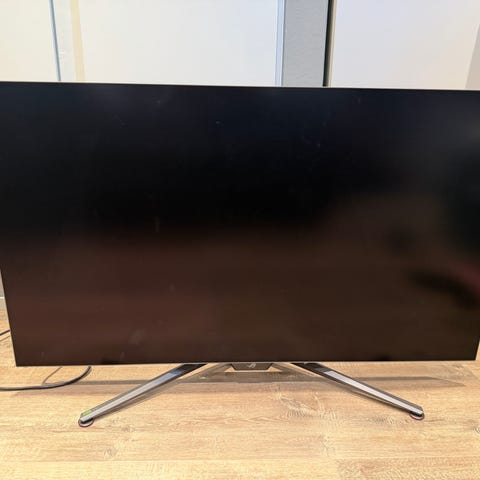
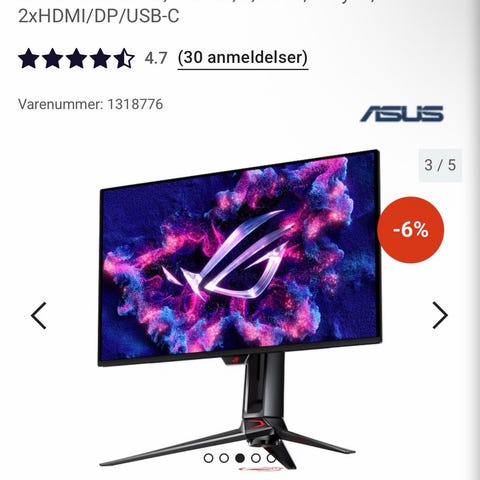
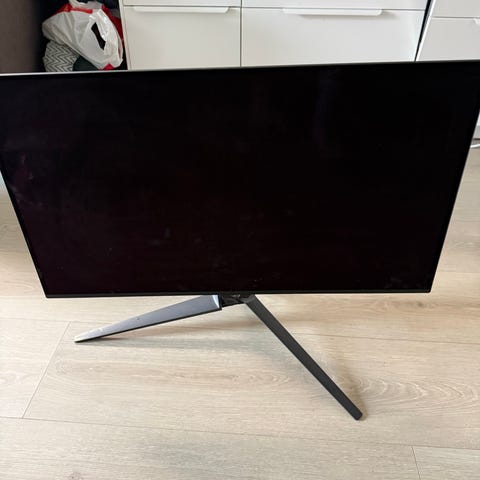
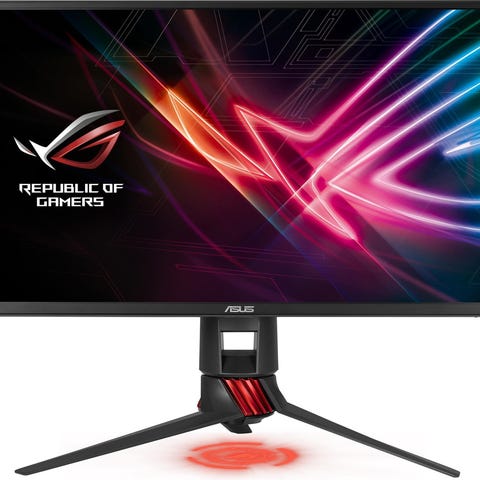
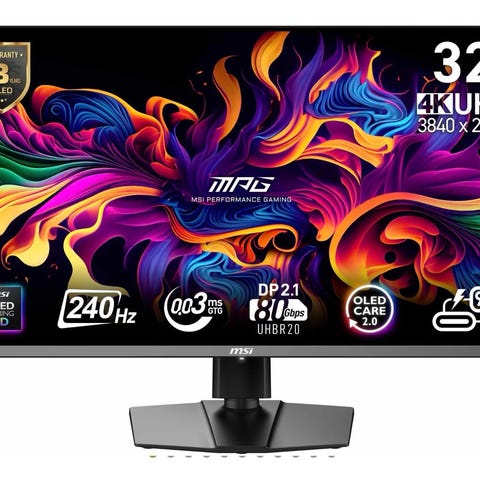
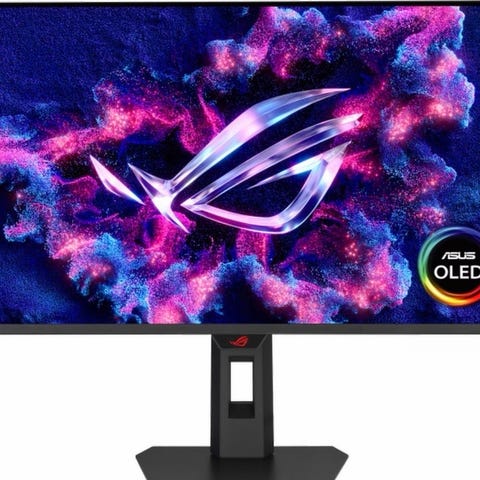
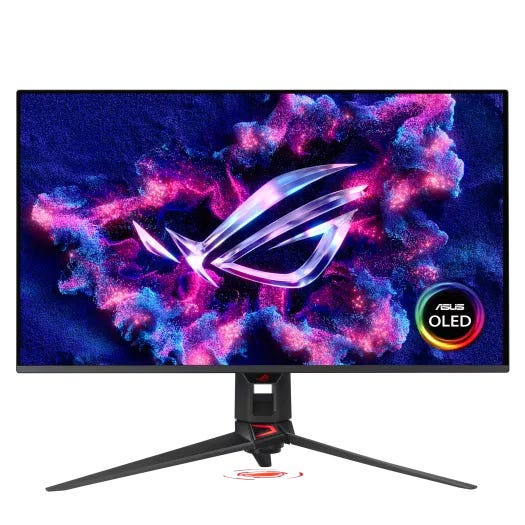
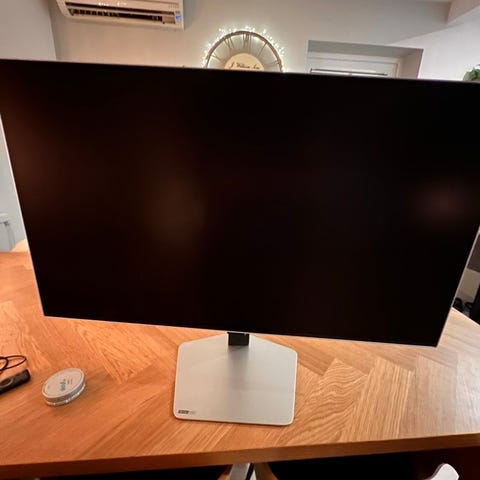
ASUS PG32UCDMR Oled skjerm 240hz 4K (DP2.1 er big deal)
Til salgs
Fiks ferdig
9 000 kr
Frakt fra 119 kr + Trygg betaling 220 kr
Trygg handel med Fiks ferdig
Varen sendes til deg, og du har 24 timer til å inspisere den før pengene overføres til selgeren.
Beskrivelse av varen
Strøken ASUS PG32UCDMR Oled skjerm 240hz 4K DP2.1 selges med kvittering fra komplett i org emballasje.. så kan fint sendes
Nb.. dette er versjonen med dp2.1 , big deal ! Ikke bland den med mz eller andre versjoner uten,,
ROG Swift OLED PG32UCDMR gaming monitor ― 32-inch (31.5 inch viewable) 4K (3840 x 2160) QD-OLED panel, 240 Hz, 0.03 ms (GTG), G-SYNC® compatible, custom heatsink, Neo Proximity Sensor, uniform brightness, 99% DCI-P3, OLED Care Pro, 90 W Type-C®, and ASUS DisplayWidget Center, DisplayPort™ 2.1a UHBR20 (80Gbps full bandwidth)
32-inch 4K (3840 x 2160) QD-OLED gaming monitor with 240 Hz refresh rate and 0.03 ms (GTG) response time for immersive gaming
New ASUS OLED Care Pro functions with Neo Proximity Sensor that precisely detects when the user is away, switching to a black screen to reduce the risk of burn-in
VESA DisplayHDR™ 400 True Black compliance, 99% DCI-P3 gamut, true 10-bit color, and Delta E < 2 color difference for astonishing HDR performance, making it perfect for photo and video editing
Optional uniform brightness setting ensures consistent luminance levels
DisplayWidget Center allows users to access OLED Care functions, as well as adjust monitor settings with a mouse
Extensive connectivity options include DisplayPort™ 2.1 , HDMI® 2.1, and USB-C® with 90 W Power Delivery
The ROG Swift OLED PG32UCDMR gaming monitor against a dark backdrop, with a spotlight shining down on it
THE CHOSEN ONE
The ROG Swift OLED PG32UCDMR boasts a 32-inch 4K QD-OLED panel that delivers astounding visuals at a buttery-smooth 240 Hz. Powered by third-generation QD-OLED technology, the PG32UCDMR delivers vibrant colors, the deepest black hues, and the brightest highlights. Plus, the 0.03 ms response time ensures blur-free action, even in intense gameplay. Inside, an advanced custom heatsink offers exceptional cooling to reduce the likelihood of burn-in and improve performance and longevity of the OLED panel. This premium monitor is designed for gamers who demand the very best, offering an unbeatable combination of size, image quality, and refresh rate speed for exhilarating gaming experiences.
3RD GEN QD-OLED TECHNOLOGY
32-INCH
4K
DISPLAYPORT 2.1a
80
GBPS
240HZ
Refresh rate
CUSTOM
HEATSINK
ASUS OLED
CARE PRO
NEO PROXIMITY
SENSOR
99% DCI-P3
0.03 ms
response time
DELTA E < 2
UNIFORM BRIGHTNESS
DISPLAYWIDGET CENTER
3-YEAR WARRANTY
(Learn more)
EXTREME LOW MOTION BLUR
BUILT-IN KVM
TYPE-C PD
(90 W)*
*Default power delivery at 65 W. 90 W Power Delivery can be enabled via the OSD menu.
WATCH NOW
EXPERIENCE THE ULTIMATE GAME CHANGER
The 32-inch 4K QD-OLED panel of the PG32UCDMR opens up a world of unbelievably lifelike gaming and entertainment experiences. Plus, a 240 Hz refresh rate ensures buttery-smooth visuals and eliminates motion blur to give you the edge in fast-paced games.
32-inch
4K
3840 x 2160
240Hz
Refresh rate
A gaming setup comprising of the PG32UCDMR, two controllers, a microphone, a speaker, and keyboard.
RICH CONNECTIVITY
UNLOCK THE FUTURE WITH DISPLAYPORT 2.1A
The PG32UCDMR features the future-ready DisplayPort 2.1a UHBR20 with full 80Gbps bandwidth, supporting 4K at 240Hz or 8K at 60Hz visuals without compression while offering improved data-transmission efficiency. Additionally, the PG32UCDMR includes USB-C® with 90-watt Power Delivery, HDMI® 2.1 ports and a USB hub to accommodate a wide array of multimedia devices.
HDMI 2.1
48Gbps
FULL BANDWIDTH
DISPLAYPORT 2.1A
80Gbps
FULL BANDWIDTH
USB-C
90WPD
NEXT-GEN QD-OLED TECHNOLOGY
DETAILED VISUALS AND CLEARLY DEFINED TEXT
Latest-generation QD-OLED panels take advantage of a unique sub-pixel layout that provides clearer, more detailed visuals and crisper text to upgrade viewing experiences.
The new subpixel layout of the QD-OLED panel in ROG PG32UCDMR displays crisp, clear textNEXT-GEN QD-OLED
The subpixel layout of other OLED displays often show text with color fringing TRADITIONAL QD-OLED
ADVANTAGES OF
QD-OLED TECHNOLOGY
The PG32UCDMR's QD-OLED panel boasts a 99% DCI-P3 wide color gamut, delivering accurate color reproduction for professional tasks. Its infinite contrast ratio ensures deep blacks and vibrant colors, creating immersive visuals for both gaming and creative endeavors. The incredibly low latency further enhances its appeal, providing smooth and responsive performance for demanding applications.
1,500,000 :1
contrast ratio
0.03 ms
response time
99%
DCI-P3 gamut
Delta E < 2
DisplayHDR logo / TRUE BLACK 400 icon
“A crowd watching a live broadcast of a battle
YOUR MONITOR, YOUR WAY
The PG32UCDMR monitor is a versatile powerhouse designed to excel in gaming, streaming, and content creation. Its high refresh rate, low response time, and vivid colors deliver a seamless, immersive experience for gamers. The wide viewing angle and built-in tripod socket make it perfect for streaming, while its accurate color reproduction, with a exceptional color accuracy and wide color gamut, ensures professional-grade content creation.
Man gaming at a computer setup with a monitor, PC, and a thermos.
GAMING
Smiling woman wearing a headset and gaming on a computer.
STREAMING
Woman editing a photo on a dual-monitor setup.
CONTENT CREATION
SCREEN PROTECTION
ASUS OLED CARE PRO
New ASUS OLED Care Pro technology provides a full set of customizable monitor settings to protect the OLED panel and ensure longevity. Plus, it includes the new Neo Proximity Sensor that detects your distance from the monitor and transitions to a black image when you’re away to safeguard the panel from burn-in. All settings can be easily managed via DisplayWidget Center.
LEARN MORE
GLOBAL DIMMING CONTROL
The night view of modern city. / The night view of a cityscape with the dimming effect enabled on some brighter spots of the image.GLOBAL DIMMING CONTROL OFFGLOBAL DIMMING CONTROL ON
Dynamically adjusts the overall brightness of the display to reduce the risk of burn-in.
TARGET MODE
The screenshot of the desktop with two open windows. / The screenshot of the desktop with two open windows, with the top window on normal brightness, and the other window dimmed.TARGET MODE OFFTARGET MODE ON
Dims the entire screen, except for a selected pinned window, which maintains its current brightness setting.
NEO PROXIMITY SENSO
The built-in Neo Proximity Sensor precisely detects your distance from the monitor. When you step away, the monitor transitions to a black image to protect against panel burn-in, and instantly restores onscreen content when you return. Detection distance can be customized to suit personal preference, ensuring maximum convenience and protection.
AUTOMATICALLY TRANSITION TO BLACK IMAGE
CUSTOMIZE DETECTION DISTANCE
PIXEL CLEANING
The pixel cleaning reminder pop-up
Recalibrates the screen when the monitor has been active for several hours―a process that takes just a few minutes and activates automatically when the monitor is turned off*
*Do not unplug the power cord during this time as it will interrupt the pixel-cleaning process.
SCREEN MOVE
Screenshot of a web browser with black bars on the left and right of the screen to show the effect of the OLED Care+’s Screen Move feature.
Pixel locations are slightly shifted periodically to help prevent burn-in, and users can choose between several movement levels .
BOUNDARY DETECTION
Screenshot of three soldiers with guns raised, there are black bars on the left and right of the image when the Boundary Detection feature is activated
Dynamically detects the boundary of the black bars and reduces the brightness and also slightly shifts the pixel of the near borders.
SCREEN SAVER
Screenshot of an ROG web article. / Screenshot of an ROG web article with the screen dimmed.SCREEN SAVER OFFSCREEN SAVER ON
Automatically dims the screen after two minutes of inactivity.
LOGO BRIGHTNESS ADJUSTMENT
The screenshot of the desktop with five apps. / The screenshot of the desktop with the five app icons dimmed.ADJUST LOGO BRIGHTNESS OFFADJUST LOGO BRIGHTNESS ON
Automatically detects static onscreen logos and reduces their brightness to correct for potential picture-quality issue.
TASKBAR DETECTION
Comparison image showing two screenshots of deskto. The taskbar on left image is noraml; while the taskbar on the right comes with a transparent effect.TASKBAR DETECTION OFFTASKBAR DETECTION ON
Dynamically detects the taskbar and reduces brightness around it to avoid burn-in.
OUTER DIMMING CONTROL
Image of fireworks against a dark sky. / Image of fireworks against a dark sky, with the center of the fireworks dimmed.OUTER DIMMING CONTROL OFFOUTER DIMMING CONTROL ON
Automatically identifies and adjusts the brightest areas of the screen to reduce the risk of burn-in.
GLOBAL DIMMING CONTROL
The night view of modern city. / The night view of a cityscape with the dimming effect enabled on some brighter spots of the image.GLOBAL DIMMING CONTROL OFFGLOBAL DIMMING CONTROL ON
Dynamically adjusts the overall brightness of the display to reduce the risk of burn-in.
TARGET MODE
The screenshot of the desktop with two open windows. / The screenshot of the desktop with two open windows, with the top window on normal brightness, and the other window dimmed.TARGET MODE OFFTARGET MODE ON
Dims the entire screen, except for a selected pinned window, which maintains its current brightness setting.
NEO PROXIMITY SENSO
The built-in Neo Proximity Sensor precisely detects your distance from the monitor. When you step away, the monitor transitions to a black image to protect against panel burn-in, and instantly restores onscreen content when you return. Detection distance can be customized to suit personal preference, ensuring maximum convenience and protection.
AUTOMATICALLY TRANSITION TO BLACK IMAGE
CUSTOMIZE DETECTION DISTANCE
PIXEL CLEANING
The pixel cleaning reminder pop-up
Recalibrates the screen when the monitor has been active for several hours―a process that takes just a few minutes and activates automatically when the monitor is turned off*
*Do not unplug the power cord during this time as it will interrupt the pixel-cleaning process.
BUILT TO LAST
WORRY-FREE OLED MONITOR
ROG OLED monitors are engineered to deliver stunning visuals for years to come. An innovative custom heatsink and a unique internal airflow improve cooling and reduce the risk of burn-in.
Image showing airflow through the monitor3 year warranty icon
USER-FRIENDLY
UNIFORM BRIGHTNESS
When activated, the ROG-exclusive Uniform Brightness setting within the OSD menu decreases peak brightness to keep levels consistent for better viewing, even when changing the size of bright white windows. It makes marathon gaming sessions more comfortable by reducing potential stress on the eyes due to extreme brightness shifts.
WITH UNIFORM BRIGHTNESS SETTING
Comparison images showing a white window being enlarged in the first image, with display brightness keeping constant in the second image
WITHOUT UNIFORM BRIGHTNESS SETTING
Comparison images showing a white window being enlarged in the first image, with display brightness getting dimmer in the second image
*Monitor in sRGB mode.
DISPLAYWIDGET CENTER
Take your monitor to the next level with DisplayWidget Center, a powerful monitor management software designed to help you optimize, personalize, and fully utilize your display via a mouse — so there’s no need to access the OSD menu. Additionally, DisplayWidget Center notifies you of the latest firmware updates and includes a direct update option. You can also import or export display configurations for sharing.
Customizable monitor settings
Auto Firmware Update Notification
Multiscreen Control
OLED Protection
Screenshot of the new ASUS DisplayWidget Center UI showing system settings, OLED functions, and more.
LEARN MORE AND DOWNLOAD HERE
PLAY SMARTER WITH AI ASSISTANT
The AI Assistant in PG32UCDMR includes AI Visual, AI Crosshair, and AI Shadow Boost. These features leverage AI technology to help you practice more effectively to improve your gaming.
AI Crosshair
AI Shadow Boost
AI Visual
AI Visual
Automatically detects what’s onscreen and adjusts to provide the best default or user-preset monitor settings through DisplayWidget Center.
AI Crosshair
Automatically changes the crosshair to a color that contrasts with the background, so it stands out for more accurate aim.
The crosshair color changes from green to red when AI Crosshair is activated Replay
AI Shadow Boost
Automatically enhances dark areas of the scene to make it easier to spot enemies hiding in dim areas of the map.
Screenshot of an FPS game Replay
AI Visual
Automatically detects what’s onscreen and adjusts to provide the best default or user-preset monitor settings through DisplayWidget Center.
AI Crosshair
Automatically changes the crosshair to a color that contrasts with the background, so it stands out for more accurate aim.
The crosshair color changes from green to red when AI Crosshair is activated Replay
*Images/videos may be simulated and dramatized for illustrative purposes.
ASPECT RATIO CONTROL
If you prefer playing on a smaller monitor, the PG32UCDMR also supports a range of aspect ratios, allowing you to choose between 24.5” (esports mode) and 27” imagery.
24.5”
27”
ROG Swift OLED PG42UQ
Users can set the aspect ratio to show a 24.5”-sized image.” screen sizeUsers can set the aspect ratio to show a 27”-sized image
VRR
SUPERB SMOOTHNESS AND RESPONSIVENESS
The PG32UCDMR features AMD FreeSync™ Premium Pro technology and NVIDIA® G-SYNC® compatibility, ensuring super-smooth, tear-free visuals with low latency.
NVIDIA G-SYNC icon and FreeSync Premium icon and VESA VRR icons
Image of Omni and Acht riding a flying hoverboard, and Acht’s body showing some screen tearing when VRR technology is off.VRR ONVRR OFF
FUTURISTIC, CYBERPUNK-INSPIRED AESTHETIC
Product photo showing the top rear of PG32UCDMR
Boasting design features that exude a premium, modern look, PG32UCDMR also includes a tripod socket.
ROG LIGHTING PROJECTION
Product photo showing the projected ROG logo on the underside of the monitor stand.
A projected ROG logo at the base of the monitor adds a gaming vibe to any setup.
FRAMELESS, WITH A SUPERSLIM PROFILE
Product photo showing the superslim profile of the PG32UCDMR
A frameless design allows for more immersive viewing, and a superslim profile ensures that PG32UCDMR takes up minimal desktop space.
_IN-GAME ENHANCEMENTS
DYNAMIC SHADOW
BOOST
GAMEPLUS
GAMEVISUAL
FLICKER-FREE
TECHNOLOGY
LOW BLUE LIGHT
TECHNOLOGY
ASUS Dynamic Shadow Boost uses ROG Gaming AI technology to automatically enhance dark areas of the screen, making it easier to spot enemies hiding in dim corners of the map.
A detailed image of a man standing in the darkSHAHDOW BOOST ON
An image of a man standing in the dark, and his lower part of the body is unclear and lacks detailSHAHDOW BOOST OFF
Enhance Gaming with 4K on Consoles and the ROG Ally X Handheld*
Enjoy truly immersive 4K** gaming with sharper imagery and clearer text on PlayStation 5, Xbox Series X, Nintendo Switch 2 and ROG Ally X. In addition, Auto Low Latency Mode kicks in automatically for ultra-responsive control the moment gameplay starts.
HDMI 2.1 VRR 4K@120Hz: Ultra-smooth visuals on PS5 and Xbox Series X
USB-C: Seamless video and power delivery to ROG Ally X handheld
Auto Low Latency Mode: Instant control and unparalleled responsiveness
Disclaimer:
*Support ROG Xbox Ally X(2025) and ROG Ally X(2024).
**Frame rates are capped at 60fps for 4K output when connected to Nintendo Switch 2.
***Image for reference only.
A ROG monitor connected to ROG Ally X Handheld and Xbox for enhanced 4K gaming on consoles, complete with a keyboard, controller, and Forza Motorsport on display.
ERGONOMIC STAND
A specially designed hollowed-out stand offers tilt, swivel, and height adjustments for ideal viewing positions. The display is also VESA wall-mount-compatible.
Height adjustment of the monitor
[ 0-110MM ]
HEIGHT ADJUSTMENT
Swivel adjustment of the monitor
[ -15°~ +15° ]
SWIVEL
Tilt adjustment of the monitor
[ -5°~ +20° ]
TILT
FIND YOUR BEST OLED MONITOR
▾
▾
▾
ADD PRODUCT +
Display
Panel Size (inch) 31.5 31.5 31.5
Aspect Ratio 16:9 16:9 16:9
Panel Type QD-OLED QD-OLED WOLED
True Resolution N/A N/A N/A
Display Surface Anti-Reflection Anti-Reflection Anti-Glare
Brightness (HDR, Peak)* 1,000 cd/㎡ 1,000 cd/㎡ 1,300 cd/㎡
HDR (High Dynamic Range) Support HDR10, Dolby Vision HDR10, Dolby Vision HDR10
Refresh Rate (Max) 240Hz 240Hz 240Hz
*Peak brightness may vary due to color pre-calibration
SHOW MORE
ROG gaming setup with a PC, monitor, a keyboard and mouse set, and a headset
DISCOVER MORE ASUS & ROG GAMING MONITORS
RECOMMENDED PRODUCTS
ROG Strix OLED XG27AQDMG Gen2 (XG27AQDMGR)
ROG Strix OLED XG27AQDMG Gen2 (XG27AQDMGR) gaming monitor ― 27-inch (26.5-inch viewable) 1440p TrueBlack Glossy™ OLED, 240 Hz, 0.03 ms, Neo Proximity Sensor, ASUS OLED Care Pro, ELMB, G-SYNC® compatible, 99% DCI-P3, and DisplayWidget Center
ROG Strix OLED XG32UCDS
ROG Strix OLED XG32UCDS gaming monitor ― 32-inch (31.5-inch viewable) 4K UHD QD-OLED panel, 165 Hz, 0.03 ms, custom heatsink, Neo Proximity Sensor, ASUS OLED Care Pro, uniform brightness, G-SYNC® compatible, 99% DCI-P3, and DisplayWidget Center
ROG Strix OLED XG27AQDPG
ROG Strix OLED XG27AQDPG gaming monitor ― 27-inch (26.5-inch viewable) QHD QD-OLED panel, 500Hz, 0.03ms (GTG), OLED Anti-Flicker 2.0, custom heatsink, OLED Care Pro, Neo Proximity Sensor, G-SYNC® compatible, VESA DisplayHDR™ 500 True Black, uniform brightness, 99% DCI-P3, true 10-bit color, DisplayWidget Center
ROG Strix OLED XG27ACDMS
ROG Strix OLED XG27ACDMS gaming monitor ― 27-inch (26.5-inch viewable) 1440p QD-OLED panel, 280 Hz, 0.03 ms, custom heatsink, Neo Proximity Sensor, ASUS OLED Care Pro, uniform brightness, G-SYNC® compatible, 99% DCI-P3, and DisplayWidget Center
ROG Strix OLED XG32UCWMG
ROG Strix OLED XG32UCWMG gaming monitor ―32-inch (31.5-inch viewable) 4K TrueBlack Glossy™ OLED, dual mode (4K@240Hz, FHD@480Hz), 0.03ms (GTG), G-SYNC® compatible, custom heatsink, OLED Care Pro, Neo Proximity Sensor, VESA DisplayHDR™ 400 True Black, Auto KVM, USB Type-C®
ROG Strix OLED XG32UCWG
ROG Strix OLED XG32UCWG gaming monitor ―32-inch (31.5-inch viewable) 4K TrueBlack Glossy™ OLED, dual mode (4K@165Hz, FHD@330Hz), 0.03ms (GTG), G-SYNC® compatible, custom heatsink, OLED Care Pro, Neo Proximity Sensor, VESA DisplayHDR™ 400 True Black, Auto KVM, USB Type-C®
RELATED PRODUCTS
ROG Scabbard II XXL-KJP Mouse Pad
The ROG Scabbard II XXL-KJP is a large gaming mouse pad with a water-, oil-and dust-repellent surface and anti-fray, flat-stitched edges, plus a nonslip rubber base
ROG Sheath II XXL Mouse Pad
The ROG Sheath II XXL is a large gaming mouse pad with a advanced cooling fabric and anti-fray, flat-stitched edges, plus a nonslip rubber base
ROG Scabbard II Arctic Gray XXL Mouse Pad
The ROG Scabbard II Arctic Gray XXL is a large gaming mouse pad with a water-, oil-and dust-repellent surface and anti-fray, flat-stitched edges, plus a nonslip rubber base
ROG Moonstone Ace L Mouse Pad
The ROG Moonstone Ace L is a large gaming mouse pad made of durable tempered glass, featuring an ultrasmooth surface optimized for fast, consistent mouse glides and an anti-slip silicone base.
ROG Hone Ace XXL Mouse Pad
The ROG Hone Ace XXL is an extra-large-sized gaming mouse pad with a base made out of an extra-soft, anti-slip rubber, and has a hybrid cloth surface designed for consistency and optimal control, while being water-, oil- and dust-repellent.
ROG Hone Ace Aim Lab Edition Mouse Pad
ROG Hone Ace Aim Lab Edition large-sized gaming mouse pad is designed to work with Aim Lab X ROG 360 task to help gamers improve their aim. The Hone Ace has a hybrid cloth surface for a smoother glide and better control, a water-, oil- and dust-repellent surface protective nano coating, and a soft nonslip rubber base.
ROG Scabbard II EVA Edition Mouse Pad
ROG Scabbard II EVA Edition gaming mouse pad with EVA-inspired design, protective nano coating for a water-, oil-and dust-repellent surface, with anti-fray, flat-stitched edges and a non-slip rubber base
ROG Scabbard II Mouse Pad
ROG Scabbard II extended gaming mouse pad with protective nano coating for a water-, oil-and dust-repellent surface, with anti-fray, flat-stitched edges and a non-slip rubber base
Product has High-Definition Multimedia Interface
Disclaimer
The actual transfer speed of USB 3.0, 3.1, 3.2, and/or Type-C will vary depending on many factors including the processing speed of the host device, file attributes and other factors related to system configuration and your operating environment.
The terms HDMI and HDMI High-Definition Multimedia Interface, HDMI Trade dress and the HDMI Logo are trademarks or registered trademarks of HDMI Licensing Administrator, Inc. in the United States and other countries.
Products certified by the Federal Communications Commission and Industry Canada will be distributed in the United States and Canada. Please visit the ASUS USA and ASUS Canada websites for information about locally available products.
All specifications are subject to change without notice. Please check with your supplier for exact offers. Products may not be available in all markets.
Specifications and features vary by model, and all images are illustrative. Please refer to specification pages for full details.
PCB color and bundled software versions are subject to change without notice.
Brand and product names mentioned are trademarks of their respective companies.
Unless otherwise stated, all performance claims are based on theoretical performance. Actual figures may vary in real-world situations.
The actual transfer speed of USB 3.0, 3.1, 3.2, and/or Type-C will vary depending on many factors including the processing speed of the host device, file attributes and other factors related to system configuration and your operating environment.
NB: Knappen for å vise hele beskrivelsen har kun en visuell effekt.
Brukerprofil

Du må være logget inn for å se brukerprofiler og sende meldinger.
Logg innAnnonsens metadata
Sist endret: 5.5.2026 kl. 22:57 ・ FINN-kode: 458579446
Utforsk våre nye sider for klær og mote
Ta en titt