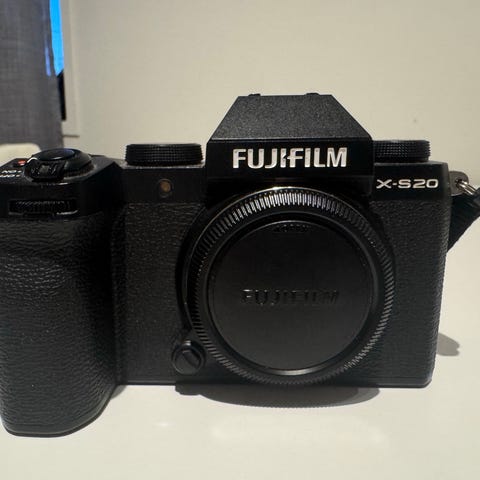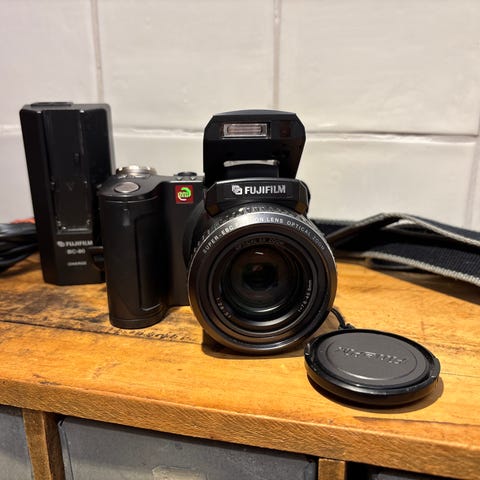
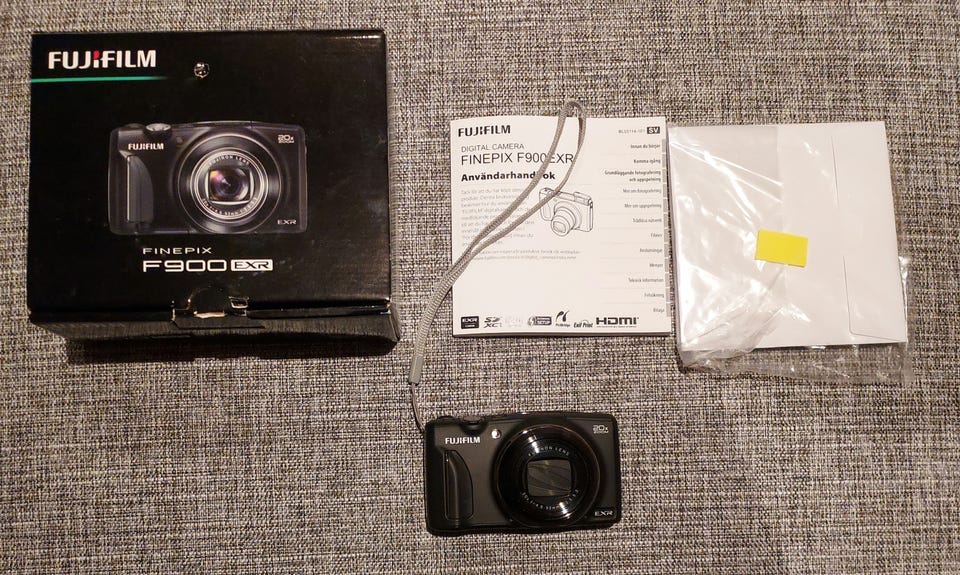
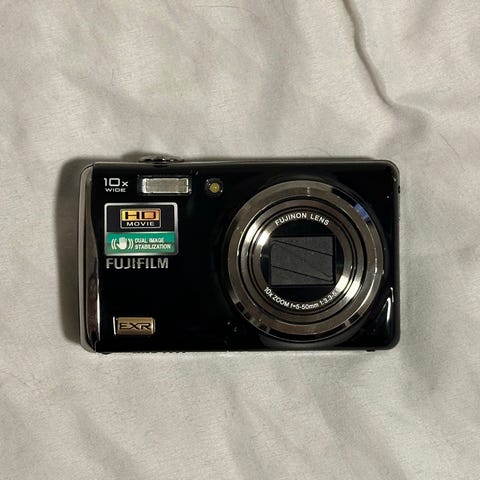
Fiks ferdig
Tilstand: Pent brukt - I god stand
Merke: Fujifilm
Pent med ytterst minimale bruksmerker.
1eier(undertegnede).
Har blitt lagret innendørs i romtemperatur i alle år.
Bud ønskes.
Fujifilm FinePix F900EXR Review
January 7, 2014 | Matt Grayson |
• Introduction
• Ease of Use
• More…
Introduction
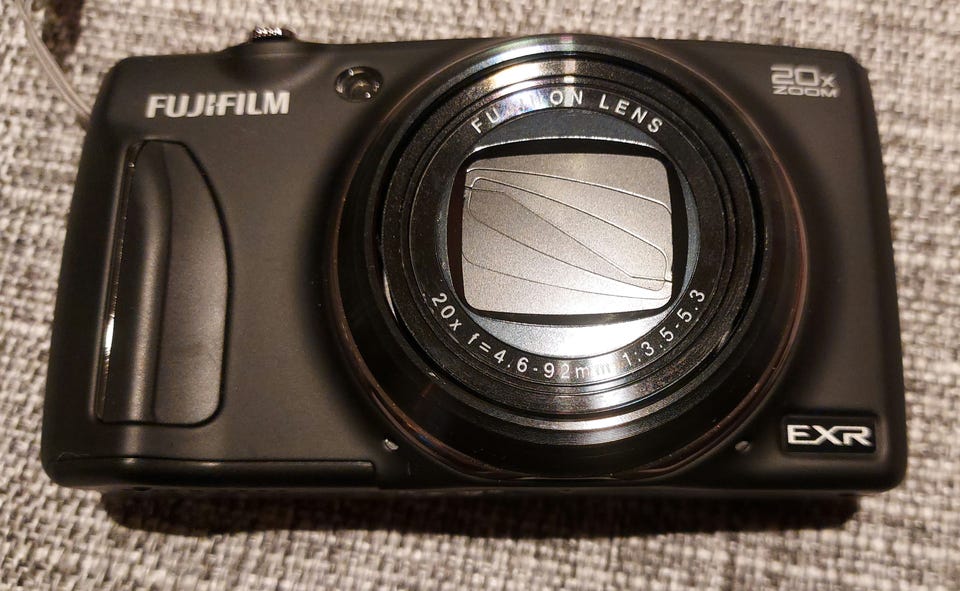
The Fujifilm Finepix F900EXR is a new 16 megapixel travel-zoom compact camera with a 20x, 25-500mm zoom lens. Capable of auto-focusing in as little as 0.05 seconds, key highlights of the successor to the F800EXR include a 1/2 inch EXR CMOS II sensor, 8fps burst mode at full resolution, sensitivity up to ISO 12800, RAW image capture, wi-fi connectivity and full 1080p HD movies at 60fps. Other standout features include GPS functionality, a high-contrast 3 inch LCD screen, an intelligent digital zoom mode which doubles the telephoto range up to 40x, fast start-up and shot-to-shot times, a range of artistic filter effects, a customisable Function button and a built-in flash. The Fujifilm Finepix F900EXR is available now in black, red or blue for $399.95 / £249.95.
Ease of Use
The Fujifilm FinePix F900EXR is a larger-than-normal compact camera. It looks good on the outside with its slightly bulging lens eager to pop out and bring stuff closer for you to see. The slight grip on the right side curves to the grip of a curled forefinger while taking a photograph.
The top plate plays host to a discreet pop-up flash, silver shutter release button with a slim style zoom ring around it. The power button is located next to it and is flush with the body so you don't think that it's the shutter release by mistake. The same goes for the tiny Fn button. This button can be assigned a mode that you use more than anything else. If you're a slave to digital noise, then you might want to have it bringing up the ISO settings. You can also choose between the image size, quality, dynamic range, film simulation, metering (referred to as photometry), focusing modes, face detection and location information search. Whichever one you choose – and for whatever reason – it simply saves you having to enter into the menu systems.
DJI OM 4 4K Stabilisation
Video Player is loading.
Play Video
•
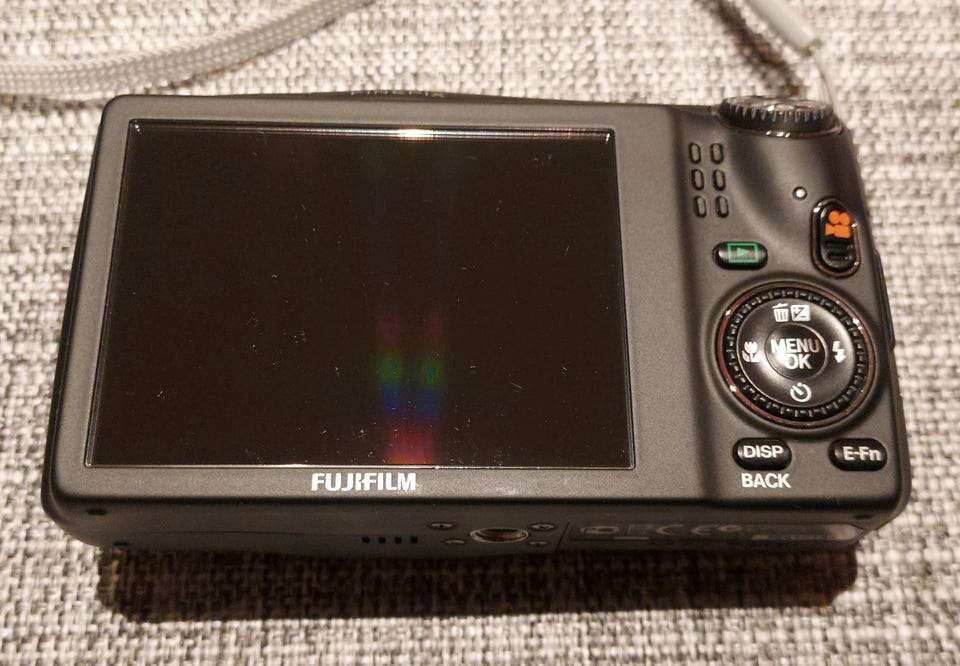
FrontRear
In the past, Fujifilm were known for their very easy to use menus with simple language and intuitive UI. Throughout the years as more features and technology have become available, the menus have become bigger and with more complex language. For the beginner, this can be quite intimidating and could put them off using it. It's unlikely that a beginner would buy a camera like this anyway, but if it's the family camera that is being bought, making sure everyone can use it is a must. Now, before you look elsewhere, we're talking about certain features such as Photometry. This option is known to everyone else as metering. No-one else uses that term on a camera and this is because the word “metering” is a lot easier to understand. Photometry even sounds complicated and could put some people off without looking at what it means.
The Fujifilm Finepix F900EXR is a weighty number. It is small enough to go in your pocket, but you'd better believe that you'll know it's there. It seems very well made with any moving parts given some reinforcement. The flash pop-up system is mechanical with a release button on the side of the camera for it to spring up. The top right shoulder is host to a command dial. It's positioned in a way that's easy to see and operable by your thumb and index finger.
•
TopSide
One of the most interesting features of the Fujifilm Finepix F900EXR is the new sensor. There's a number of interesting areas of note. For example, the autofocus is a dual mode focusing system with Phase Detection and Contrast Detection AF. Fujifilm have put this on so that the camera can switch from one to the other depending on what the available light is like. You see, Phase Detection is faster at focusing, but Contrast Detection is more accurate in darker areas. The Hybrid AF system will automatically choose the optimal focusing system for the scene you're shooting.
Start up time from cold is incredibly fast. We managed to get the Fujifilm Finepix F900EXR powered on, focused and taking a picture in 1.6 seconds. That's great for those candid moments when out and about or when kids are around. There are a number of continuous shooting modes on the F900. Interestingly, Fujifilm say that the F900 EXR can shoot 8fps (frames per second) at full resolution, but there's no 8fps setting. Instead, you get 16fps which is shot at Medium setting and 11fps, 6fps and 3fps which are all shot at full resolution.
The Fujifilm Finepix F900EXR sports a 3 inch TFT LCD screen on the back which sits flush with the rest of the body. It utilises 920,000 dots (306,000 pixel) which is the highest specification currently. The menus are bright and clear which is good considering our previous concerns. There's only one menu available and it's accessed by pressing the Menu button on the back of the camera. The menu is split into two sections with three pages in each. You can scroll through the pages by pressing down or rotating the wheel around the navigation pad in a clockwise direction. Alternatively, you can press left on the pad which goes directly to the tabs of each page. You can then skip whole pages of options to get to where you want to be a lot faster. It's worth noting that if you do scroll through the pages, you can't access the set-up (blue spanner) menu. You have to go left into the tabs and scroll down that way. While only a niggle, it's little things like that which can frustrate you. Arguably it's not enough to put you off the camera, though.
•
Memory Card SlotBattery Compartment
Playback can be accessed whether the Fujifilm Finepix F900EXR is switched on or off. With the camera on, you can simply half press the shutter button (as though focusing) to go back to shooting. Images will appear full screen with no image data at all. Pressing the Disp button at the bottom of the camera will allow you to add various information to the screen. You can even get a histogram if you select the Detailed Information option. On top of that, it will show the ISO setting, aperture, shutter speed, film simulation, flash status, exposure compensation setting, date & time as well as dynamic range setting and the resolution.
In the box, you'll get a small plastic pack of paperwork which will include a basic manual to get you started. The full manual is found on the CD that's also located in the pack. It's available in various languages and so cuts down on printing, saving the trees. There's also FinePix Studio version 4.2 and a raw file converter for both Windows and Mac.
Below this pack, you'll discover the camera safely wrapped up with a lithium ion battery, charger, USB cable and a wrist strap. Companies don't offer memory cards these days, sadly, but the Fujifilm Finepix F900EXR does have an internal memory for storing a few photographs if you run out of external memory. It's worth noting that if you shoot at the highest quality, the camera will only store two photographs, so don't rely on it for anything important. It should only be used as a back-up plan.
Image Quality
All of the sample images in this review were taken using the 16 megapixel JPEG setting, which gives an average image size of around 5Mb.
Noise
The Fujifilm FinePix F900EXR has a sensitivity range from ISO 100 to 12800. At low ISO, photo quality is very good. Images are smooth, noise free and show realistic colours and edge definition. This continues through the lower settings. Now if we were to be ultra picky, looking at the pictures at full magnification shows a little noise showing through in the darker areas. At normal viewing, you won't notice anything though, so we're loathe to mark it down at this stage. Still, it doesn't bode well for the higher settings.
Viewing the pictures at normal distance is all right up until around ISO 800 where you'll really notice it. Noise actually starts to come through noticeably at ISO 400. with a slight smoothing of the darker areas to eliminate too much salt and pepper noise. ISO 800 shows a jump in noise presence as detail in the darker areas are becoming overwhelmed and starting to fail. The same can be said for the mid-range tones as they meld into one. Colour noise starts to interfere at this point too and edge definition is getting blurred.
ISO 1600 exacerbates the previous issues mentioned with a softening of edge detail as it starts to get taken over by salt and pepper noise. ISO 3200 is the top most setting that records images at full resolution. Colour noise is invading the picture at this stage and by reducing the number of pixels being used on the sensor, you can remove at least one type of digital noise that's created by pixels that are heated up from the exposure affecting neighbouring pixels.
While that type of noise may be dampened, it doesn't stop the other types of noise coming through even more. Primary colours are starting to be muted to try and reduce the effect of the colour noise on the picture and avoid a cast. ISO 12800 should only be used as a last resort. The image quality is quite terrible with salt and pepper noise, bright green blobs of colour and blue patches showing all over the picture. Edge and fine detail struggle to be seen with darker areas simply showing as black blocks.
Be careful when shooting in raw as we discovered noise showing through badly at ISO 100.
Here are some 100% crops which show the noise levels for each ISO setting:
JPEGRAW
ISO 200 (100% Crop)
ISO 200 (100% Crop)
•
ISO 100 (100% Crop)
ISO 400 (100% Crop)
ISO 400 (100% Crop)
•
ISO 800 (100% Crop)
ISO 800 (100% Crop)
•
ISO 100 (100% Crop)
•
ISO 1600 (100% Crop)
ISO 1600 (100% Crop)
•
ISO 3200 (100% Crop)
ISO 3200 (100% Crop)
•
ISO 6400 (100% Crop)
•
ISO 12800 (100% Crop)
•
Focal Range
The Fujifilm FinePix F900EXR has a 20x optical zoom which starts at a 35mm equivalent focal length of 25mm. That means it stretches out to an incredible 500mm.
25mm
500mm
•
Sharpening
Adding some sharpening after the picture has been taken does help, but really only benefits the picture when it's completely sharp and taken at low ISO. We also recommend shooting in raw to see the best benefit as you can then add sharpening using the raw converter. It's powered by Silkypix technology and works well.
Original (100% Crop)
Sharpened (100% Crop)
•
•
File Quality
There are three settings for the resolution to choose from. You can choose between Fine and Normal in JPEG format or raw. Fine JPEGs record a file size of around 5Mb while the Normal size is nearer 3Mb. This does save space and we couldn't see the loss of information even though it's there.
• 16M Fine (4.59Mb) (100% Crop)16M Normal (3.02Mb) (100% Crop)
Chromatic Aberrations
The Fujifilm FinePix F900EXR handled chromatic aberrations very well during the review. Just a little purple fringing was present around the edges of objects in high-contrast situations, as shown in the examples below.
•

Du må være logget inn for å se brukerprofiler og sende meldinger.
Logg innSist endret: 11.2.2026 kl. 20:13 ・ FINN-kode: 450662526