


Fiks ferdig
Frakt fra 19 kr + Trygg betaling 39 kr. Frakten er på tilbud – ordinær pris er 39 kr.
Varen sendes til deg, og du har 24 timer til å inspisere den før pengene overføres til selgeren.
Tilstand: Pent brukt - I god stand
Type: Annet
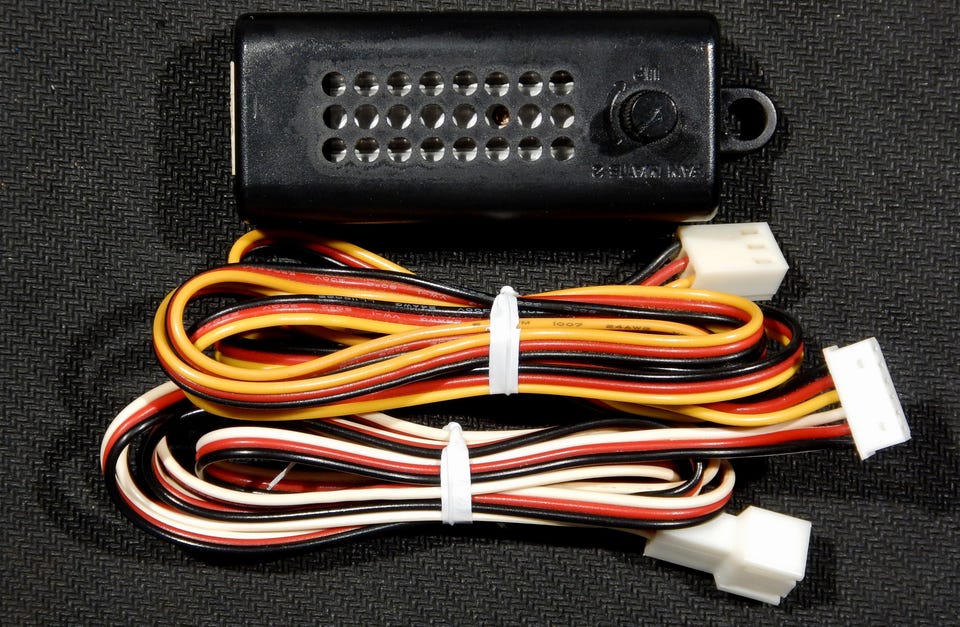
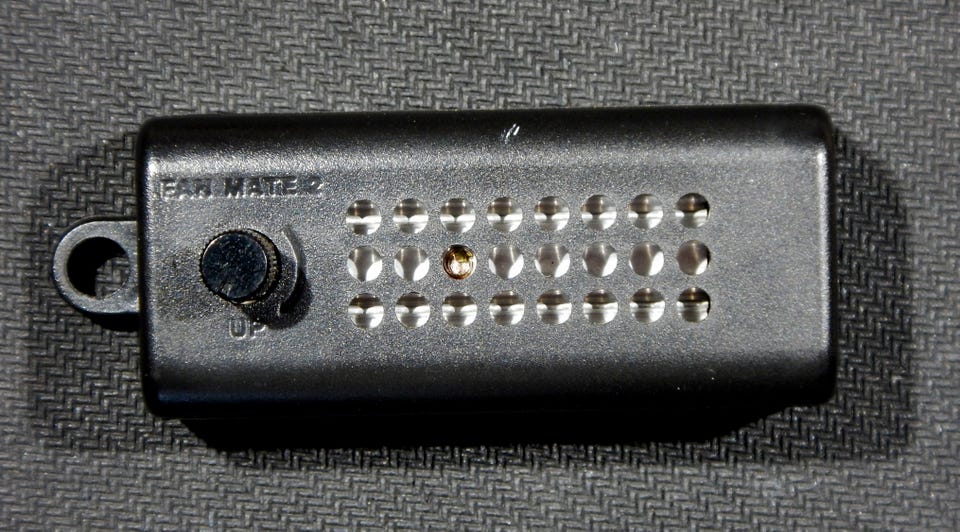
Zalman FANMATE 2 er en lineær spenningsregulator designet for manuell styring av DC-vifter (3-pins). Den gir brukeren mulighet til å justere viftehastighet fra ~5V til 11V (±2 %) ved hjelp av et potensiometer, og er optimal for støyreduksjon i PC-kabinett.
Teknisk info:
Dimensjoner: 70 x 26 x 26 mm
Kabellengde: 800 mm
Vekt: 20 g
Utgangsspenning: 5–11 VDC ±2 %
Maks belastning: 6W (0,5 A ved 12V)
Tilkobling: 3-pin han til 3-pin hun (pass-through)
Tilkoblingstype: Går direkte mellom hovedkort og vifte
Fungerer ved hjelp av spenningsregulering (ikke PWM) og anbefales først og fremst til kabinettvifter. Ikke egnet for CPU-vifter uten temperaturkontroll – risiko for utilstrekkelig kjøling ved lav spenning.
Fordeler:
Trinnløs og stabil regulering uten termisk drift
Stillegående løsning uten behov for software
Ingen ekstern strømforsyning nødvendig
Lav varmeutvikling grunnet effektiv regulator
The FANMATE 2 has a small rotary knob which can be turned in either direction, to raise or lower the fan speed. Once you are happy with the noise/airflow setting, just leave the knob set in its position and your installation is finished. The best approach is to start with the FANMATE 2 at its minimum speed setting (“silent mode”) and then increase the speed if more airflow is required.
Rather than using a simple rheostat (variable resistor) arrangement, the FANMATE 2 uses a high quality variable voltage regulator circuit which will not wear out or run excessively hot. Full instructions are supplied, and installation is very easy as can be seen in the diagram below. The product is intended to be used primarily with case fans, and you may be surprised how reducing the speed of a case fan (even slightly) can have a very large effect on noise output, with only a minimal effect on airflow. Of course the best approach is to use fans which are quiet to begin with, but if this is not possible, the FANMATE 2 will provide a very satisfactory alternative in your quest to reduce noise.
Although using the FANMATE 2 in conjunction with the fan on a CPU cooler is certainly possible, you would need to be careful to ensure that the processor does not get too hot due to inadequate airflow. If you have a CPU heatsink which is thermally inefficient in its design, then its manufacturer may have compensated for this shortcoming by providing it with a high-flow high-noise fan, usually because fast fans are cheaper than good heatsink designs! Using the FANMATE 2 in this scenario is not a good idea, and if budget allows, we would always recommend replacing the whole CPU cooler with one of the coolers we sell. This will guarantee safe cooling with the minimum possible noise level.

Du må være logget inn for å se brukerprofiler og sende meldinger.
Logg innSist endret: 25.7.2025 kl. 14:34 ・ FINN-kode: 418151580